
Re: Emulator installers
Posted by Tarbolde on .
I extract to a non-default location or I might have noticed some of this sooner. This time I gave these a try as intended.
WinXP Home SP3
working = uninstalls from Control Panel and removes Start Menu shortcut
RockNES- installs Start Menu shortcut to "Emulators" by default
FCEUX- installs Start Menu shortcut to "Emulators" by default, doesn't remove entry
Nestopia- installs to NES/Nestopia folder, no uninstaller or start menu entry
UberNES- installs to NES/UberNES folder by default, no uninstaller or start menu entry
Jnes- default settings appear to extract but don't show up in Program Files. A close inspection reveals why:
 SNES9x- working
ZSNES- working
Gens- working
Mupen64Plus- working
Project64- working
-----------------------------------------------------------------------------
Suggestion for the Emulation Lair: put Download buttons close to OS column.
(click to enlarge)
SNES9x- working
ZSNES- working
Gens- working
Mupen64Plus- working
Project64- working
-----------------------------------------------------------------------------
Suggestion for the Emulation Lair: put Download buttons close to OS column.
(click to enlarge)
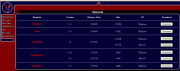 When I see the 2 or 3 buttons for some emulators grouped together at the left, my first thought is, "Cool, my choice of download mirrors. I think I'll use the second one."
Also, the DOS version of ZNES breaks the convention followed up to that point of Windows being he first button. Moving down the page it's easy to miss that DOS is first under that entry.
My opinions, humbly submitted.
When I see the 2 or 3 buttons for some emulators grouped together at the left, my first thought is, "Cool, my choice of download mirrors. I think I'll use the second one."
Also, the DOS version of ZNES breaks the convention followed up to that point of Windows being he first button. Moving down the page it's easy to miss that DOS is first under that entry.
My opinions, humbly submitted.
SNES9x- working
ZSNES- working
Gens- working
Mupen64Plus- working
Project64- working
-----------------------------------------------------------------------------
Suggestion for the Emulation Lair: put Download buttons close to OS column.
(click to enlarge)
When I see the 2 or 3 buttons for some emulators grouped together at the left, my first thought is, "Cool, my choice of download mirrors. I think I'll use the second one."
Also, the DOS version of ZNES breaks the convention followed up to that point of Windows being he first button. Moving down the page it's easy to miss that DOS is first under that entry.
My opinions, humbly submitted.
Sorry to hear about your computer woes. Happens to all of us eventually. :)
The new installers are coming along well. I put up some early builds to get the new RockNES and FCEUX posted but noticed afterward the uninstaller doesn't delete the start menu entry. I've also configured upgrades to perform a silent uninstall of the old version before installing. I just want to run one more test in Windows 7 and they should be good to go.
The new installers are coming along well. I put up some early builds to get the new RockNES and FCEUX posted but noticed afterward the uninstaller doesn't delete the start menu entry. I've also configured upgrades to perform a silent uninstall of the old version before installing. I just want to run one more test in Windows 7 and they should be good to go.
Replies:
| Re: Emulator installers | Vimm -- 10/12/2009 11:25 pm UTC |